
Ways to bank

Your account, your choice – bank and invest through QIB Mobile App, Digital Wallets, SMS, ATM, Phone, or Internet Banking.

Banner illustrating different ways to bank with services.
Explore QIB applications
  • Quick submissions
    Mobile app screen showing quick submission options for requests and services in a grid layout.

    Submit account, card, or Takaful applications on the go.

  • Account and card management
    Mobile app screen showing account balance, linked cards, recent activity, and management options.

    Check balances, set or modify limits, download statements, or change your PIN with ease.

  • Instant transfers
    Mobile app screen for instant money transfers showing amount, recipient details, and confirmation button.

    Send money to Qatari or international accounts instantly.

  • Personalized offers and discounts
    Mobile app screen showing personalized offers and discounts based on user activity and preferences.

    Receive exclusive offers, discounts, and recommendations tailored to your needs.

  • Multi-language support
    Mobile app screen showing language selection options with toggle controls for multiple languages.

    Access the QIB Mobile App in English and Arabic for a seamless experience.

  • Discreet mode
    Mobile app screen showing discreet mode settings to hide balances and sensitive account details.

    View your net worth, redeem Absher points, and contact your Relationship Manager quickly.


    Click here to Learn More

  • Mobile app screen for instant international transfers with recipient list and transfer status.

    Make quick, secure transfers to friends and family worldwide.
  • Mobile app screen displaying RIM number lookup with user profile and account overview.

    Check your unique RIM number from your profile in seconds – essential for banking activities.

  • Mobile app screen showing real-time currency conversion with amount input and exchange rate.

    Convert currencies easily with accurate live exchange rates, anytime, anywhere.

  • Mobile app screen for salary advance requests showing eligibility, amount, and action buttons.

    Access funds in advance for urgent and immediate needs.

  • Mobile app screen for paying utility bills with bill details, amount due, and confirm button.

    Pay Ooredoo, Vodafone, and Kahramaa bills 24x7 directly from the QIB Lite App.

  • Mobile app screen showing account details, card info, balance summary, and quick actions.

    Seamlessly check balances, manage debit cards, and view transaction history.


    Click here to Learn More

  • Mobile app screen focused on money management for kids, featuring guidance content, balance information, and call-to-action buttons in a bright, child-friendly design.

    Give your child a safe environment to make real-world transactions on the go.

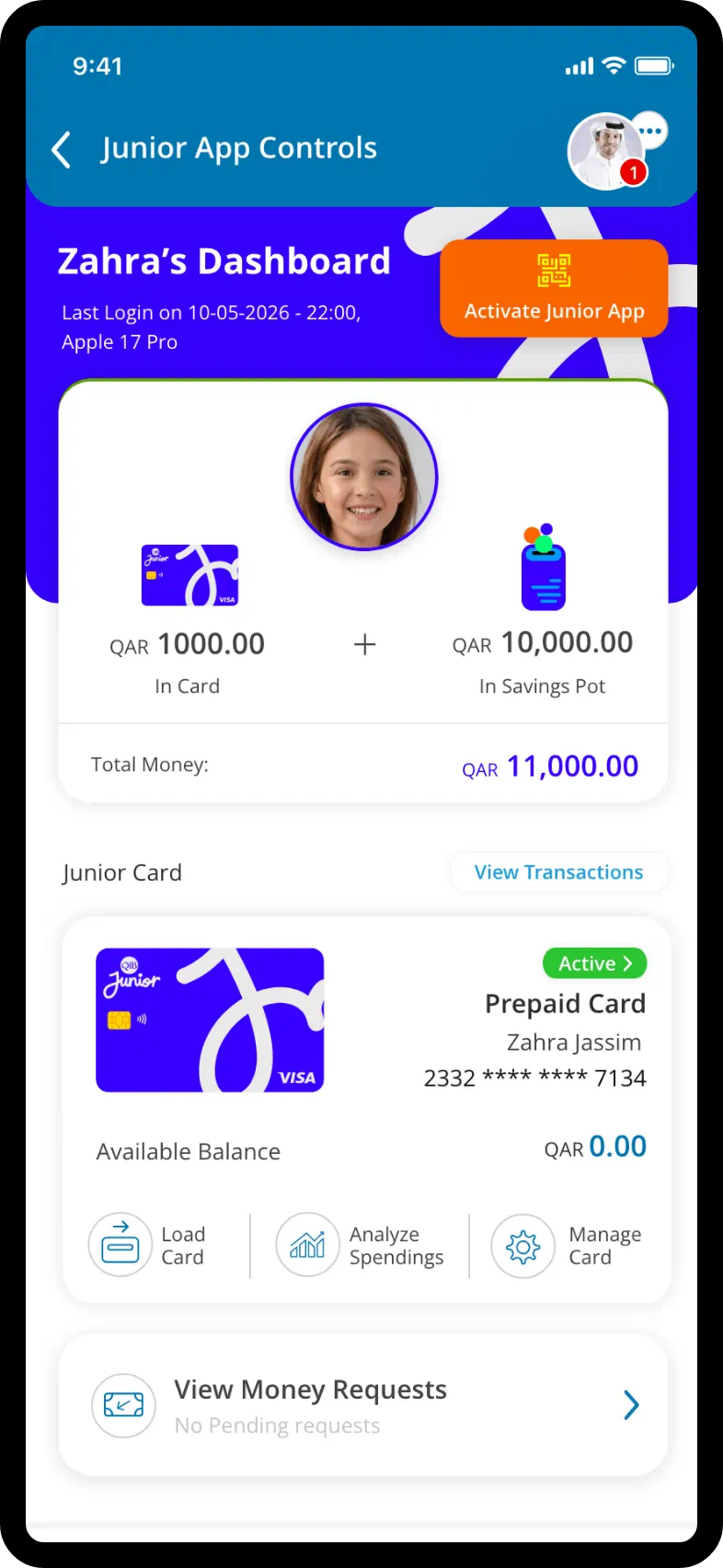
  • Mobile app screen displaying full parental insights, including spending summaries, account details, and activity tracking for a child, shown in a structured blue-and-white layout.

    Monitor your child’s spending, check their balance, and stay informed about their money habits.

  • Mobile app screen showing an activities and tasks dashboard for a child account, with a balance amount at the top, a list of assigned tasks, and action buttons in a blue-and-white interface.

    Set tasks for your children and reward them generously upon successful completion.

  • Mobile app screen for loading a prepaid card, showing a confirmation message and balance information with a simple interface and a prominent action button.

    Quickly and securely transfer money to your child’s Junior Prepaid Card.

  • Mobile app screen showing a savings pot feature, with a savings balance displayed prominently, recent activity details, and a clean blue-and-yellow visual style.

    Help your child save for what truly matters with dedicated, secure savings pots.

  • Mobile app screen highlighting an exclusive discount feature, showing available rewards, offers, and a user profile section, designed with colorful icons and a white background.

    Let your child enjoy exclusive buy 1 get 1 offers and discounts at select stores.


    Click here to Learn More

Contactless payment underway with a phone held near a payment terminal.

Tap into seamless transactions

Make payments effortlessly with contactless technology.

Explore more services
Transfer Services Banner Enjoy seamless, secure transfers without delays, giving you maximum convenience and peace of mind.

Transfer services

Enjoy the convenience of sending money with unique aliases, dedicated Visa channels, wallet transfers to both local and different destinations of the world.

Explore Transfer Services
Banner highlighting direct international remittance service.

Direct Remit

Transfer money to major expat locations with QIB digital banking solution – Direct Remit. Just enter beneficiaries’ details, fill in the amount and send money easily.

Explore Direct Remit Services
Banner listing available electronic banking services.

E-statement

Track your spending with detailed, password-protected e-statements delivered straight to your inbox. Go paperless and make informed financial decisions that fit your budget.

Learn about E-statements
More ways to bank

Phone Banking

Manage your accounts, make transactions, and get support - all through a simple phone call.
Learn More

SMS banking

Stay updated with account alerts, check your balance, and carry out basic transactions via SMS.
Learn More

Branches & ATMs

Visit your nearest branch for personalized assistance, or use our ATMs for fast, convenient cash access.
Learn More
What would you like to know?

Expert guidance tailored to fulfil your banking needs with ease